Help center
Go to Pro Agent Max
How to Cancel the Subscription | Pro Agent Max
All collections
Cancellation
How to Cancel the Subscription
How to Cancel the Subscription
How to Cancel the Subscription
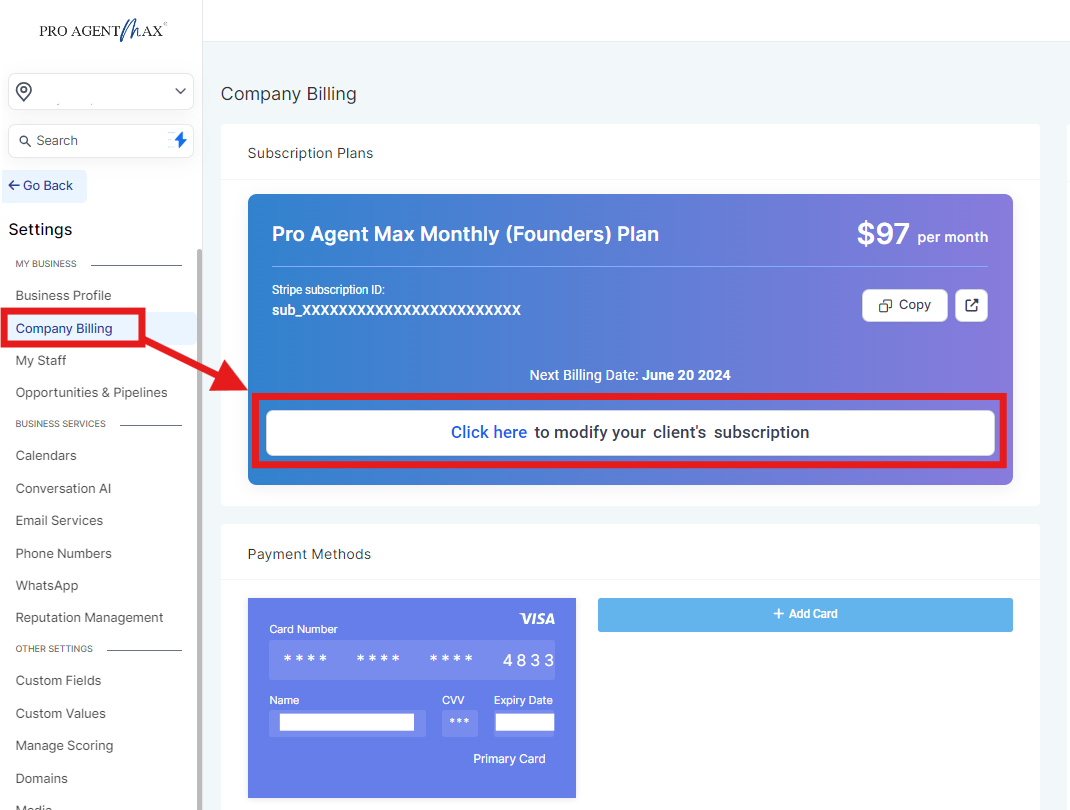
Step 1: You will see a Modify Subscription button below their subscription details in
Settings > Company Billing:
Step 2:
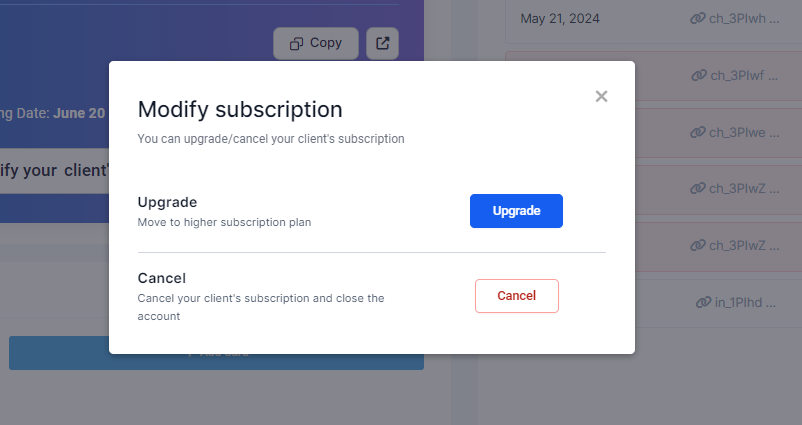
Upon clicking
Cancel,
your client will see the following confirmation popup.
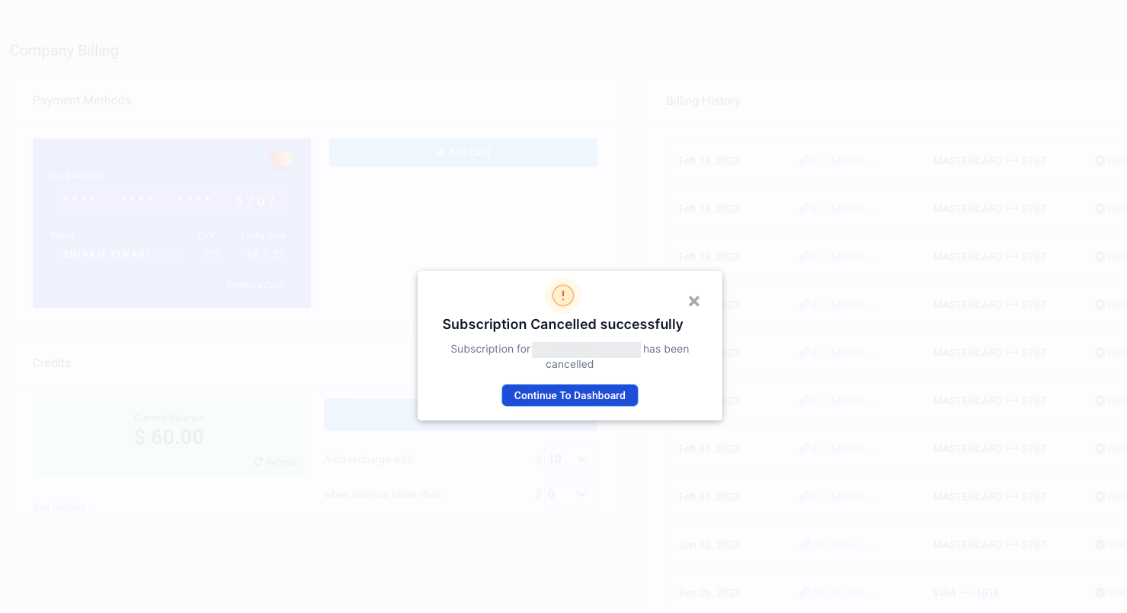
Step 3: Once they click on
Confirm Cancellation,
They will see this message:
Did this answer your question?
😞
😐
😁